How does it work?
Save up to 50% of the time you spend on your inspection workflow—an estimated 280 hours annually
...with AI-assisted report writing and automated bookings, agreements, payments, and delivery, giving you more time for inspections, clients, and life outside work.
In the field
You are the expert. We are the scribe.®
 Snap + Speak + Submit® with Maxter by iDeneti
No more report writing
Maxter is our AI-powered report writer, trained to turn your online directions or offline notes—including photos, audio, or text—into professionally crafted, SOP-compliant drafts as fast as you can speak. It follows your company’s custom instructions and intelligently adapts your default presets to the context of each inspection.
Record observations, add system summaries, and edit or annotate photos. Reuse company prompts with Prompt Directory, and catch missing or outdated summaries with Sanity Check before publishing.



 Draw
Draw Text
Text Crop
Crop Tune
Tune Filter
 Blur
Blur


Drafting observation
Maxter- Label
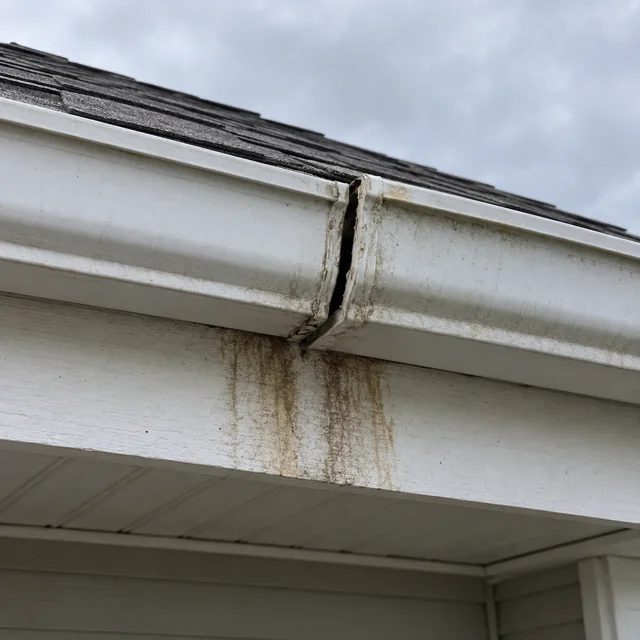
- Separated gutter joint and fascia staining
- System/Component
- Roofing / Roof drainage systems
- Area
- Rear elevation
- Observation
- At the rear elevation, a gutter joint is separated and misaligned. Brown staining is visible on the fascia below the joint. The separated connection is deficient and warrants repair. The extent of any concealed deterioration was not determined during this visual inspection.
- Direction
- Have a qualified contractor repair the gutter connection and evaluate the stained fascia, repairing any deterioration found.
Revise with Maxter
 Submit
Drafting system card
Maxter- Label
- Roofing
- Method of Inspection
- Visual inspection from ground level using binoculars. The roof was not walked.
- Narrative
- The roof is covered with asphalt shingles. Inspection was limited to areas visible from the ground using binoculars; the roof was not walked. This viewing method limits assessment of details that require closer access. The gutter deficiency is documented in the related observation.
- Maintenance Suggestions
- Keep gutters and downspouts clear of debris. Periodically check joints, supports, and discharge points, and address leaks or blockages when found.
Revise with MaxterSubmitIn the office
You are the expert. We are the assistant.
 Book, Track, Charge, and Deliver with Knockknock by iDeneti
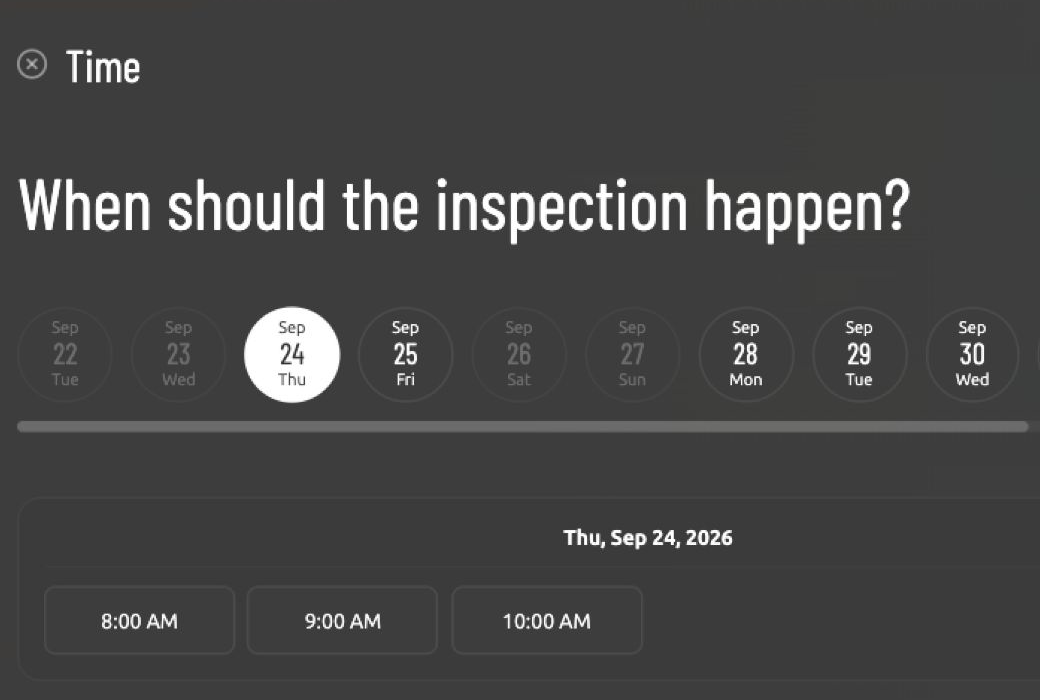
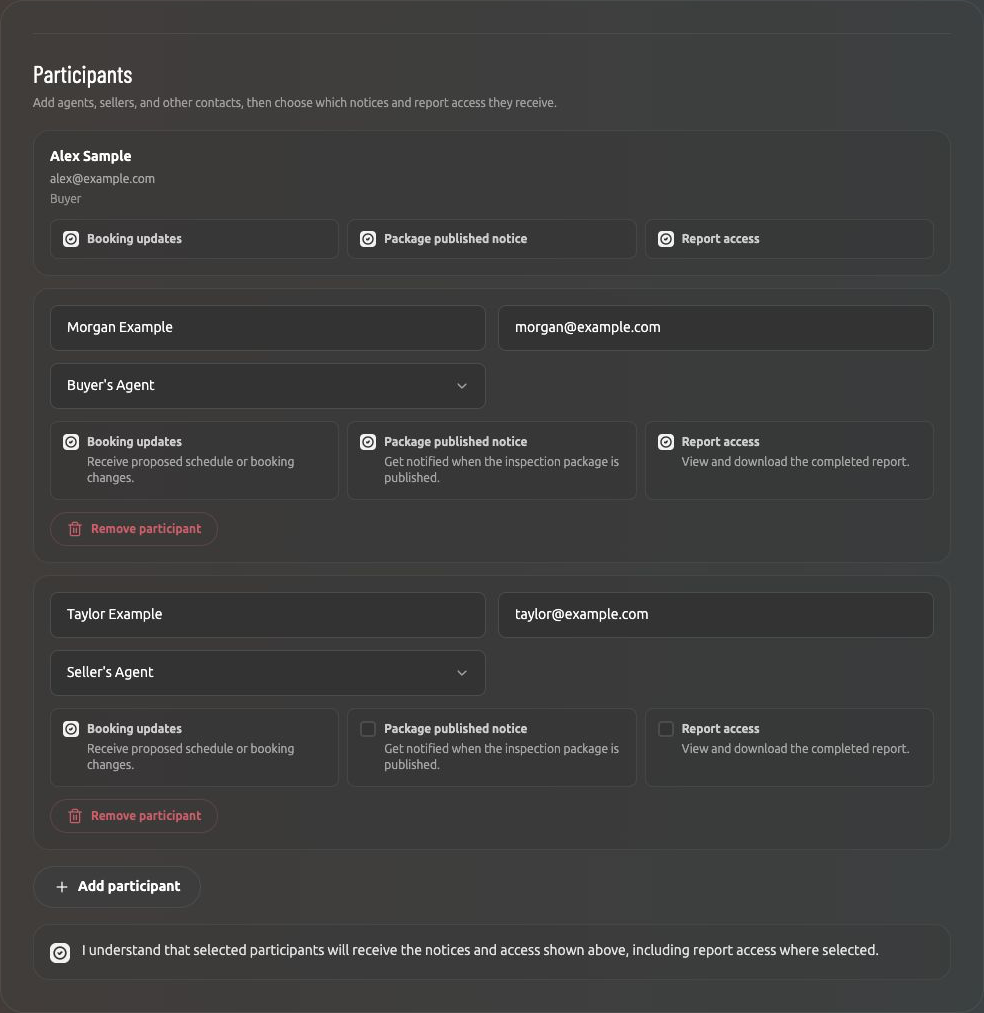
Knockknock is our complimentary booking service. Set up your services, pricing, and availability, then adjust as the job changes. Let clients book online through Knockknock or book on their behalf. Identify the parties involved and establish their access permissions during booking, so everyone’s role is clear from the start. Easily assign and notify team members and contractors.
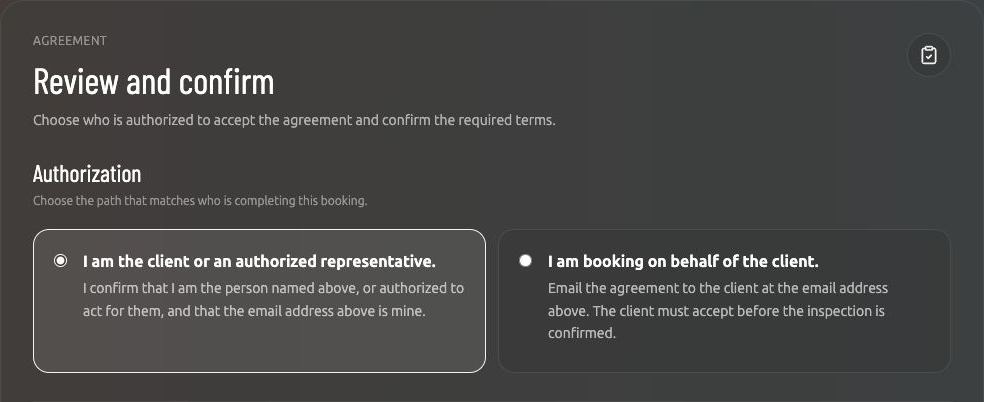
Knockknock guides clients through reviewing and accepting your terms during booking. It tracks their acceptance, sends notifications to related parties, and can even initiate automated cancellations when required agreements aren’t completed.
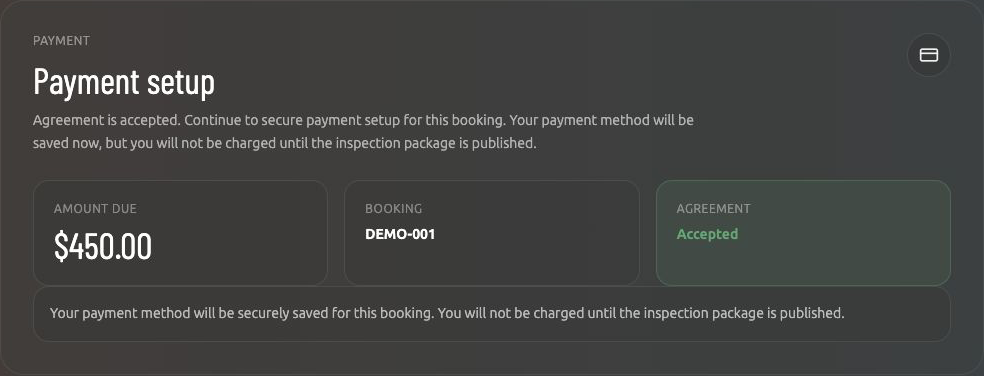
Handle payments manually at the job site, or let clients securely provide a payment method upfront through Knockknock. With automated processing through Stripe, they’re charged only when you publish their report. You decide when your work is ready—and how you get paid.
When you publish, Knockknock automatically notifies authorized recipients and gives them access according to the permissions established during booking. Your inspection report and subcontractor reports are available together in Knockknock—no individual copies to forward.
In the report
You are the expert. We are the messenger.
No more endless scrolling
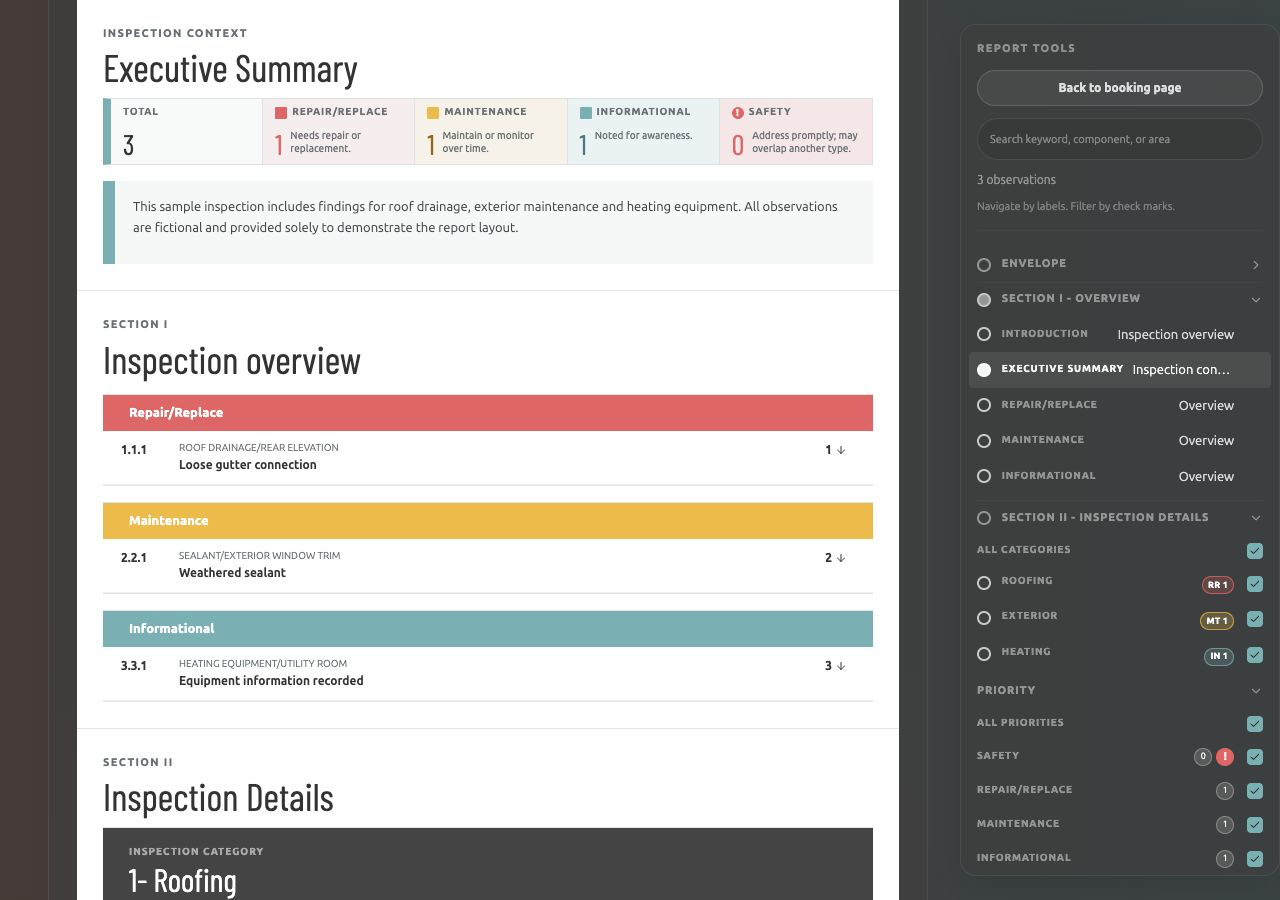
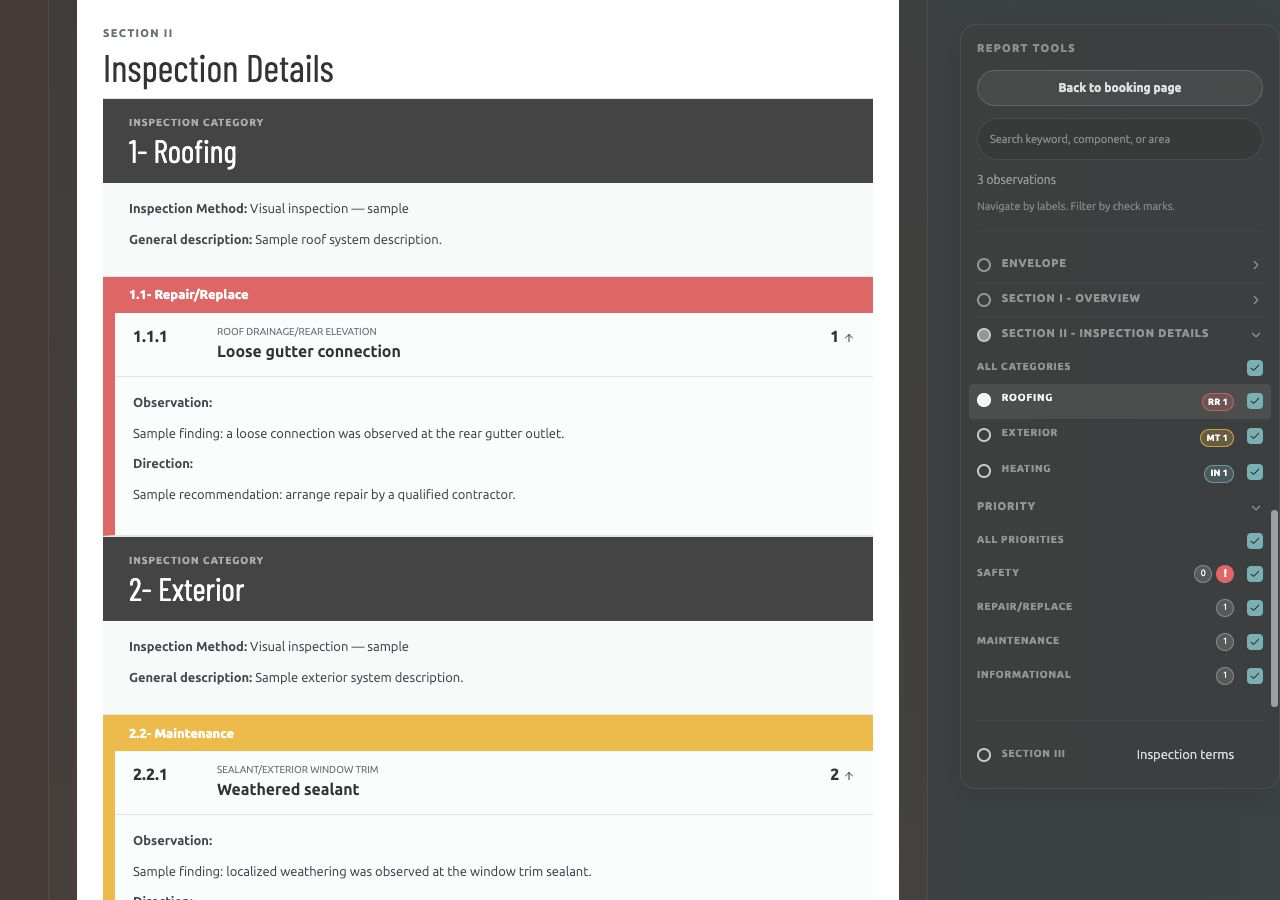
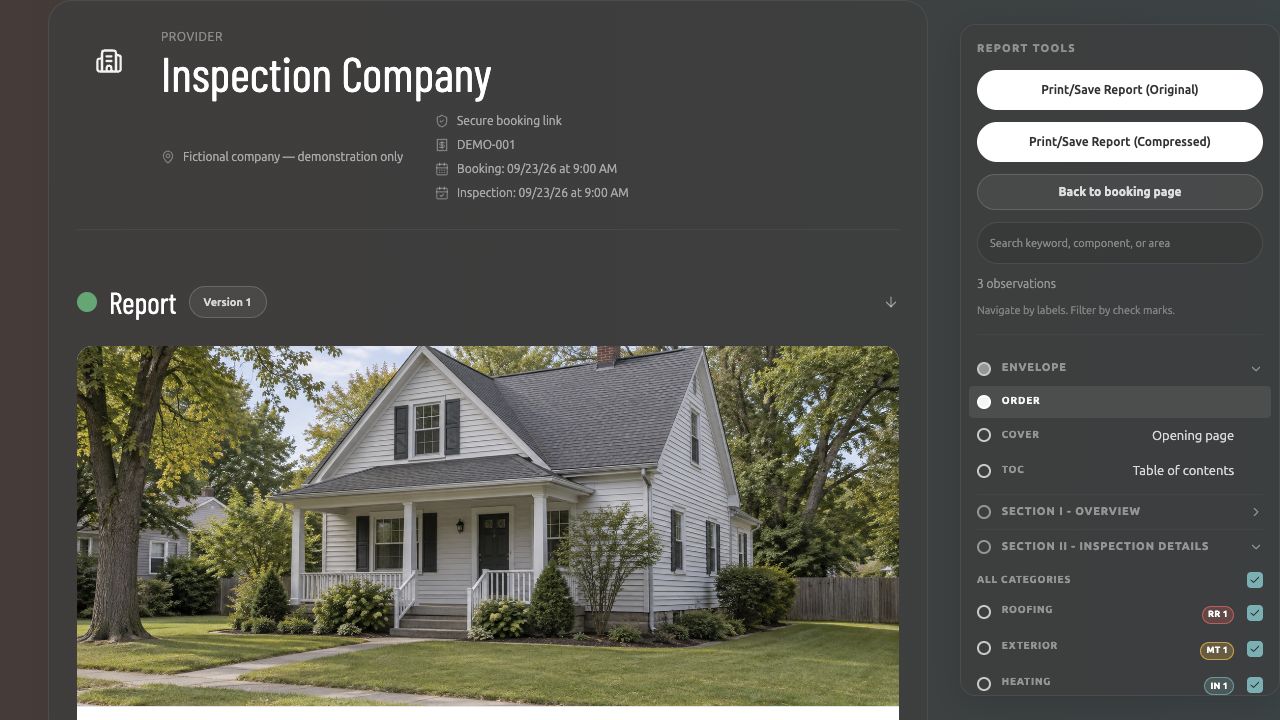
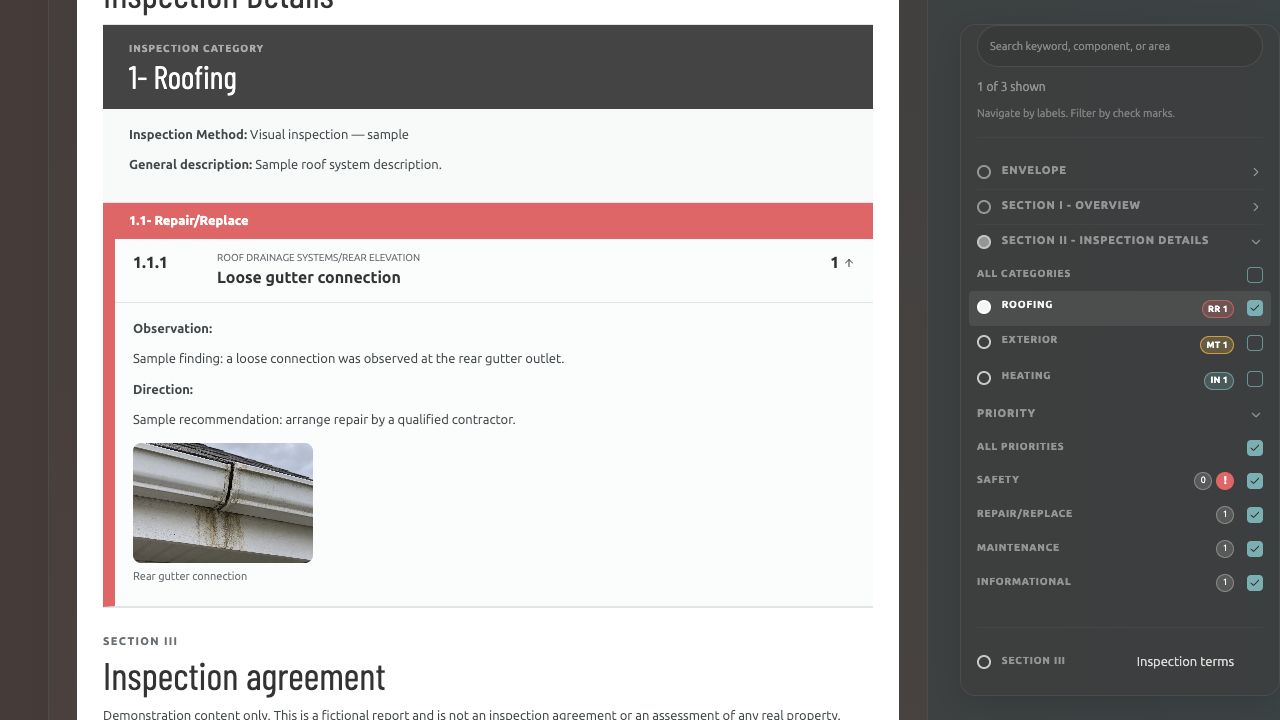
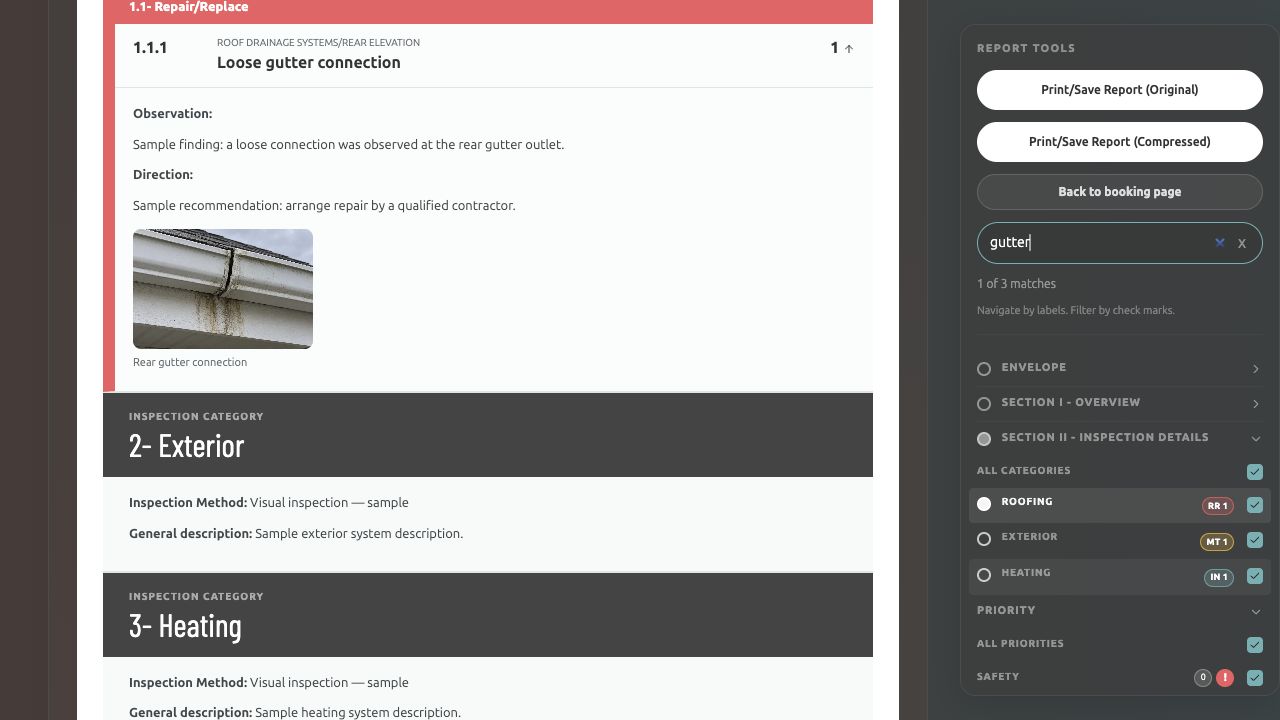
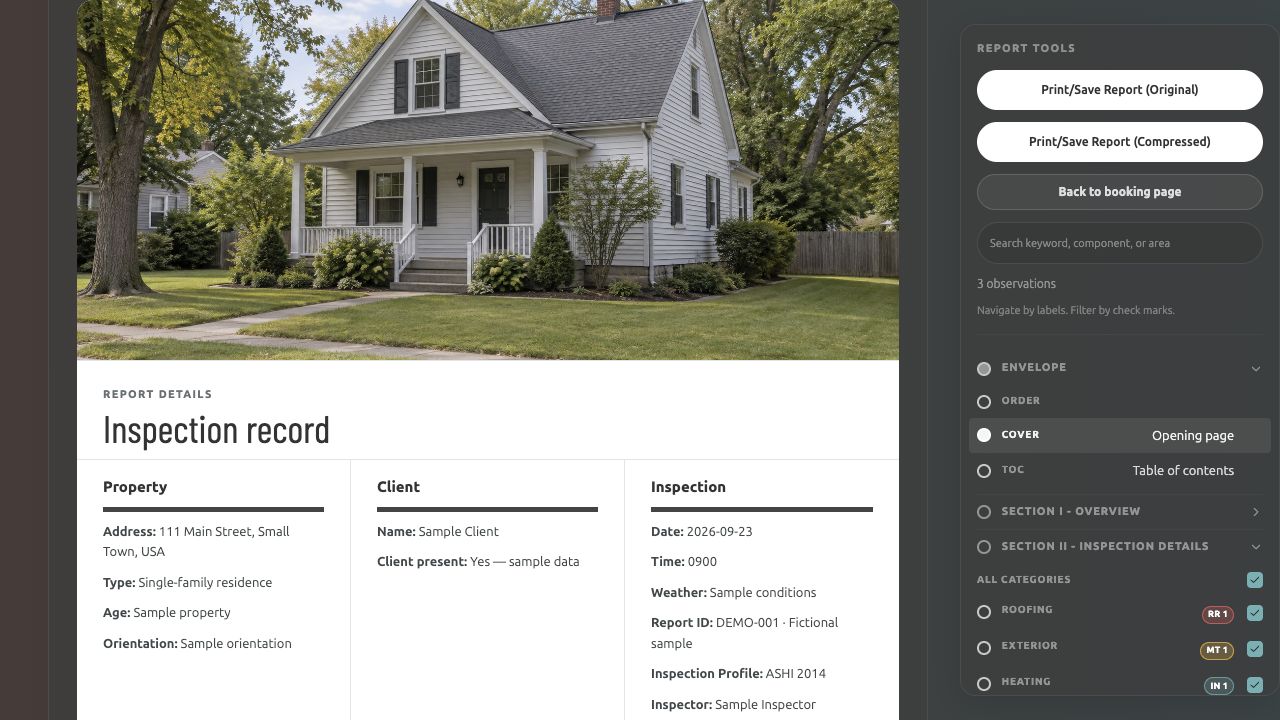
Help clients focus on what matters with filters, find answers with search, and print custom views. Knockknock gives authorized recipients secure access according to their assigned permissions—all in a mobile-friendly report.
Secure access for the right people
Give authorized recipients access according to their assigned permissions.
Focus on what matters with filters
Select Roofing to focus on its findings and recommendations.
Find what matters with search
Search “gutter” to find the matching observation and photo.
Print custom, filtered views
Choose what to include, then print or save your filtered report.
Scroll through the report and open its tools from the top menu.

Snap + Speak + Submit®
Capture findings with photos, voice, or text as you work.

Mobile or desktop
Use your phone or desktop and switch whenever you need.

Online or offline
Keep inspecting online or offline as connectivity changes.*

Solo or teamwork
Inspect on your own or with your team on the same job.

Frictionless or manual
Automate bookings and payments, or handle them yourself.
* AI processing and Stripe payments require an internet connection.